If you are searching for the best board games for blind players using screen reader compatible companion apps, the short answer is this: pick games that already have strong tactile differentiation (raised grids, distinctly shaped pieces, recessed slots) and pair them with a companion app that exposes state, turn order, scoring, and rules through VoiceOver, TalkBack, or NVDA. In 2026, the strongest combinations are tactile mancala, accessible chess sets with app-mirrored boards, magnetic or pegged checkers, and multi-game folding sets that work with free screen-reader-friendly rules apps. Below, we review the most reliable tactile boards on Amazon, explain how to wire each one up to a screen reader companion, and answer the long-tail accessibility questions that come up most often.
How a tactile board plus a screen reader app actually works
A blind or low-vision player needs two layers working together: the physical board (so moves can be made and verified by touch) and a digital companion (so the game state, opponent moves, rules clarifications, and scoring can be read aloud). The best board games for blind players using screen reader compatible companion apps share a few traits. The board pieces must be distinguishable by shape, texture, or magnetism. Squares or pits must be findable without sight (recessed wells, raised grid lines, drilled holes). And the rules engine of the digital app must be fully labeled so VoiceOver on iOS, TalkBack on Android, or NVDA on Windows can announce every element on screen.
Apps such as SoundChess, Chess for the Blind, Talking Mancala, and the accessibility-tested Lichess web client all support announcing the board in algebraic or pit-by-pit notation. When you mirror a physical move on the app, the companion confirms the new state aloud, validates legality, and announces the opponent’s reply — which the sighted or blind opponent then makes on the physical board for you to feel.
Comparison: tactile-friendly board games for screen reader pairing
| Game | Tactile cues | Best companion app type | Solo play possible? | Skill ceiling |
|---|---|---|---|---|
| Mancala (wood, recessed pits) | Deep pits, smooth stones, fixed pit count | Talking Mancala / rules narrator | Yes, with app opponent | Moderate |
| Classic Chess | Distinct piece shapes, alternating square feel | SoundChess, Lichess + VoiceOver | Yes, full AI | Very high |
| 3-in-1 Folding Set (Chess/Checkers/Tic-Tac-Toe) | Multi-game in one box, folding board | Multiple chess + checkers apps | Yes | Variable |
| Checkers (large multiplayer) | Uniform discs, oversized squares | Checkers companion + screen reader | Yes | Moderate |
Our top picks for 2026
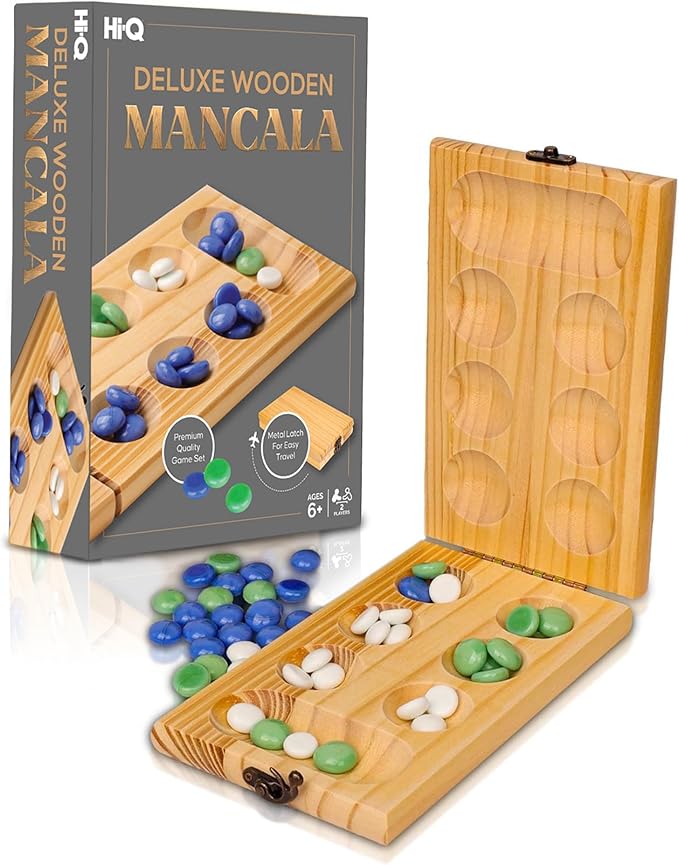
Hi-Q Solid Wood Deluxe Mancala Folding Board Game
Mancala is widely recommended by accessibility educators as one of the very best entry points for blind and low-vision players, because the entire game lives in the fingertips: you count smooth stones into recessed wooden pits. The Hi-Q solid wood deluxe board has deep, well-defined pits that are easy to find without looking, a folding hinge that aligns the two halves repeatably, and weighty pieces that stay put when sweeping a hand across the board. Pair it with a free Talking Mancala or Oware app on iOS or Android, turn on VoiceOver or TalkBack, and the app will announce each pit’s seed count and the legal moves. You move the physical stones, then mirror the move on the app to get an audible confirmation and a turn from a computer opponent if you are playing solo. See it on Amazon: Hi Q Mancala Board Game, 2 Player Classic Strategy Tabl
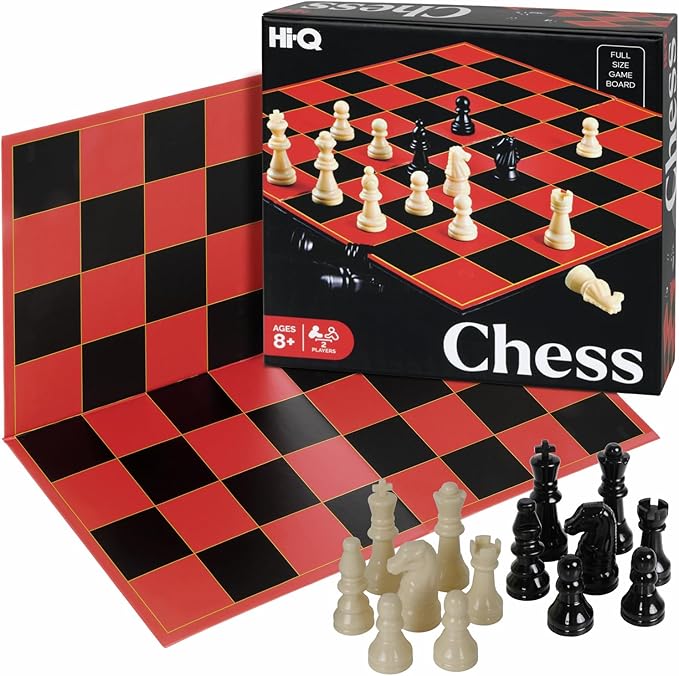
Hi-Q Classic Chess Board Game, Educational Strategy Set
Chess is the gold standard when discussing the best board games for blind players using screen reader compatible companion apps, because the entire game is encodable as algebraic notation — the same notation every accessible chess app and engine speaks fluently. The Hi-Q Classic Chess set works well as a tactile base when you add a few accessibility tweaks (small felt dots on white pieces, a rubber band around pawns, etc.), and the standard piece silhouettes are already distinct to the touch. Connect it to SoundChess, Chess for the Blind, or the Lichess web app with VoiceOver enabled and you can call out moves like “e2 to e4”, hear the engine’s reply, and reproduce it on the physical board. For a deep dive into tournament-grade tactile modifications, see our tactile chess modifications guide. Find this set on Amazon: HI-Q Classic Chess Board Game – Educational Strategy Se
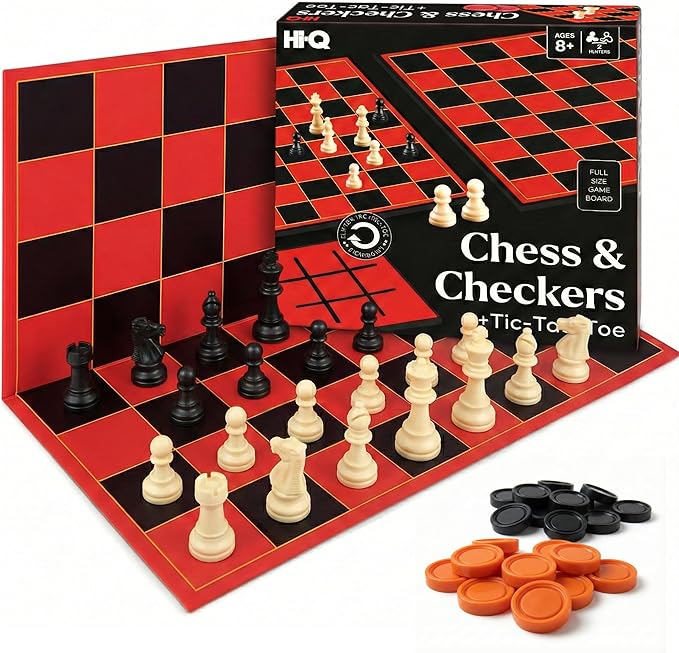
Hi-Q 3-in-1 Chess, Checkers & Tic-Tac-Toe Folding Set
For households where multiple players want different game options, this folding 3-in-1 set is the most flexible accessible-friendly purchase on the list. One box gives you chess, checkers, and tic-tac-toe — all three of which have mature companion apps with screen reader support. Because the board folds, the reference frame stays consistent between sessions, which matters more than sighted players realize: blind players often build a memory map of where the board sits on the table, and a folding board snaps to the same orientation every time. Use the chess side with SoundChess or Lichess, the checkers side with any AAB-compliant checkers app, and tic-tac-toe with a simple TalkBack-tested teaching app for younger players. This makes it our top family pick. Check availability: 3-in-1 Chess, Checkers & Tic-Tac-Toe Game Set – Double-
Kangaroo Multiplayer Strategy Checkers Board Game
Checkers is sometimes overlooked, but it is arguably the easiest classical strategy game to play blind. Pieces are uniform discs distinguished by color (which you can replace with two textures — say, felt circles on one set), the board is an 8x8 grid identical to chess, and the move rules are simple enough that even an entry-level companion app can validate every move. The Kangaroo set is sized generously, which makes the squares easier to find by touch and keeps adjacent pieces from getting confused. Pair it with any accessible checkers app on your phone, set VoiceOver or TalkBack to announce moves in standard checkers notation, and you have a great low-stress game for new players or for evenings when you do not want the cognitive load of full chess. See it on Amazon: Kangaroo - Multiplayers Strategy Checker Board Game for
How to set up a screen reader companion app with your physical board
Setup is similar for all four games. First, install the companion app of your choice and open the device accessibility settings. On iOS, enable VoiceOver and set the speech rate to a level you can comfortably parse — most blind chess players run between 1.5x and 2.0x. On Android, enable TalkBack. On Windows, run NVDA or JAWS and use a web-based engine such as Lichess. Second, calibrate the board: place it in the same orientation every time, identify a reference corner (for chess, white’s queenside rook), and rest your non-dominant hand on a fixed landmark so you can scan the board with the other hand. Third, start a game in the app, then announce each move aloud or input it through the app’s text field. The app speaks the opponent’s reply, you reproduce it on the physical board, and the cycle repeats.
Some players prefer a hybrid setup with a Bluetooth keyboard so they can type algebraic moves silently while a friend or family member sits across the board with the physical set. Others use an HID chess board such as the DGT Centaur, but those are far more expensive than the affordable tactile boards above, and the screen-reader-friendly Amazon options listed here remain the most accessible starting point for new players in 2026. For more on integrating digital and physical play, see our audio board game accessibility overview.
Tactile modifications that make any board more accessible
Even an off-the-shelf board can be upgraded in minutes. Add small adhesive bumps (the kind sold for marking appliance buttons) to mark one color of squares or pieces. Glue thin felt circles to the tops of one player’s pieces so they feel distinct from the opponent’s. Use a soft rubber band around pawns to differentiate them from other pieces if your set’s silhouettes are too similar. For mancala, add a small rubber stopper near the store pit on each side so a sweeping hand instantly knows which end belongs to whom. None of these mods damage the board, and all of them dramatically reduce the cognitive load of “where am I on the board” so the player can focus on strategy. A full how-to lives in our DIY tactile board game mods article.
What to avoid when shopping for accessible board games
Avoid boards with flat, painted squares and no recessed pieces — they are nearly impossible to read by touch. Avoid travel sets where the magnets are too weak to hold pieces in place, because a misplaced piece during a sweep is a lost game state. Avoid games whose rules require reading from cards or revealing hidden information that is not exposed in any app (legacy games and many modern Euro-style games fall into this trap unless they have an official audio companion). Most importantly, avoid any companion app that has not been tested with VoiceOver, TalkBack, or NVDA — unlabeled buttons make even the best physical board useless. For other compatible companions, our screen reader friendly tabletop apps list is updated quarterly.
Frequently Asked Questions
What are the best board games for blind players using screen reader compatible companion apps for beginners?
Mancala and checkers are the easiest entry points. Both have simple rules, large tactile pieces, and free companion apps that are fully labeled for VoiceOver and TalkBack. Mancala in particular is forgiving because the entire game state is just stone counts in pits — something a screen reader can announce in a single sentence per turn.
Can a totally blind player play chess against a sighted opponent using a regular Amazon chess set?
Yes, with light modifications. Add tactile markers to white pieces, place a felt dot on white squares (or rubber-band one color), and use a chess notation app on a phone so each move is announced aloud. The sighted opponent calls out their move; the blind player makes it on the shared board, then makes their own reply and speaks it. Apps like SoundChess will validate moves in real time.
Which companion apps work best with VoiceOver on iPhone in 2026?
SoundChess, Chess for the Blind, the Lichess mobile web client, and Talking Mancala are the four most reliable choices in 2026. All four expose board state, legal moves, and clock data to VoiceOver. Lichess additionally supports keyboard input via a Bluetooth keyboard, which many advanced blind players prefer over touch input.
Are there accessible board games for blind kids that don’t require a screen reader?
Yes. Tactile tic-tac-toe (often included in 3-in-1 folding sets), mancala, and large-piece checkers all play well without any app, because the rules are simple enough to learn by ear and the boards are small enough to scan with one hand. A screen reader companion adds depth for serious play but is not required for casual family games.
How do I find chess sets with distinct piece silhouettes for tactile play?
Look for Staunton-pattern sets with weighted bases and pronounced finials — the knight’s horse head, the bishop’s mitre cut, the king’s cross, and the queen’s crown should all be unmistakably different to the fingertips. Avoid abstract or themed sets where pieces are similar heights or shapes.
Do magnetic boards help blind players or get in the way?
Magnetic boards are generally a help, not a hindrance. They prevent accidental piece displacement when you sweep a hand across the board to count or scan. The only caveat is that weak magnets are worse than none — if a piece slides when bumped, the player loses confidence in the board state. Buy magnetic sets with strong, recessed-piece designs only.
What is the best multi-game folding set for a blind player who wants variety?
A solid wood 3-in-1 chess, checkers, and tic-tac-toe folding set offers the most value because each of the three games has a mature companion app with screen reader support, and the consistent folding board means the player only has to learn one physical reference frame for all three. Add the simple tactile mods described earlier and you have three fully accessible games in one box.

Final thoughts
The best board games for blind players using screen reader compatible companion apps in 2026 are not exotic specialty products — they are classic tactile favorites (mancala, chess, checkers) paired thoughtfully with the right app and a few small accessibility tweaks. The four sets above are affordable, available on Amazon today, and ready to be paired with VoiceOver, TalkBack, or NVDA-compatible companion software. Start with mancala if you are new to tactile play, move to checkers as you build confidence in scanning the grid, and graduate to full chess when you are ready to use algebraic notation with a serious engine companion. Accessibility in tabletop gaming has never been more achievable.
Key Takeaways
- Choosing the right best board games for blind players using screen reader compatible companion apps means matching capacity and output ports to your actual devices
- Always check actual watt-hours (Wh), not just watts — runtime depends on Wh, not peak output
- Also covers: accessible board games for blind players with apps
- Also covers: board games with screen reader companion apps
- Also covers: tabletop games for visually impaired with audio apps
- Compare price-per-Wh across models to find the best value for your budget